Download Viewcat
Create a free Viewcat account and download the installer for Windows (64-bit) or an Apple Silicon Mac. The editor runs on your computer and opens in your browser.
Viewcat's Free plan is a full timeline editor for Windows and Mac, and it never expires. Auto captions, effects, transitions and B-roll are included, and the AI edits for you on your own Claude Code, Codex or API key. The limit is on finished video: five minutes of exports in total.
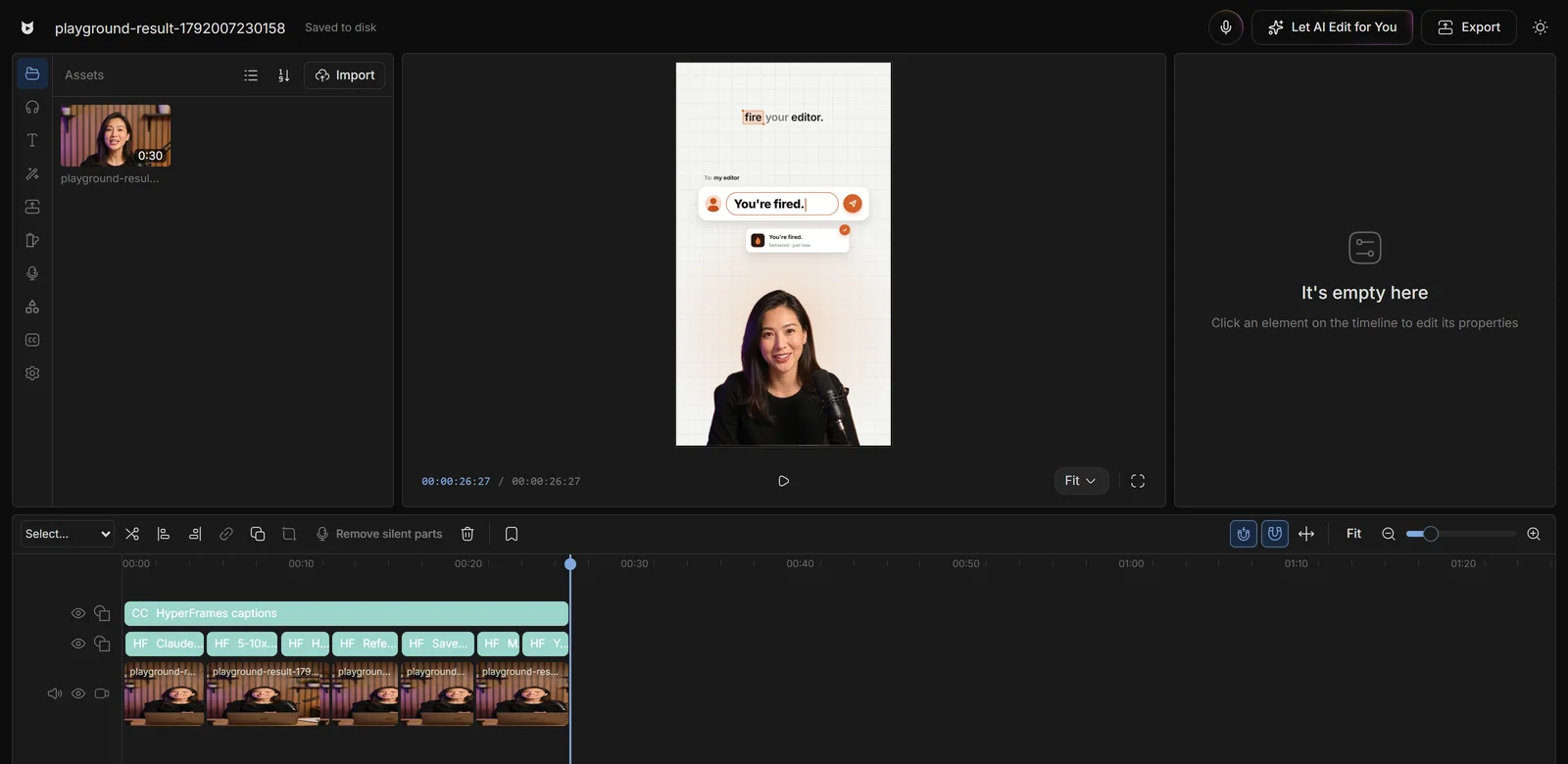
The Free plan costs nothing and has no end date. Paid plans start at $15 a month at launch: they export without limits and add Viewcat's own AI, which needs no setup.
| Free plan | Paid plan | |
|---|---|---|
| Timeline editor | Included, never expires | Included |
| Auto captions, effects, transitions, B-roll | Included | Included |
| Speech transcription | 2 hours in the cloud, then on your computer | In the cloud, paid with credits |
| AI editing in the chat | On your own Claude Code, Codex or API key | Also on Viewcat AI, paid with credits |
| AI clipping | 1 long video and 1 exported clip, on your own agent or key | Unlimited |
| AI thumbnails | On your own agent | Also on Viewcat AI |
| AI voiceover | 1,000 characters with the free voices | Free and premium voices, paid with credits |
| Mic mode and animated story shorts | Not included | Included |
| Exported video | 5 minutes in total | Unlimited |
| Watermark | None | None |
Comparing free editors? Read the guide to what each one gives you
The Free plan is the same editor paid users get: multitrack timeline, auto captions from your speech, 39 effects, 37 transitions and a stock B-roll library. Your projects and footage stay on your computer.
See the editorConnect the Claude Code or Codex plan you already have, or add an OpenAI- or Anthropic-format API key. The AI chat, cleanup, motion graphics and thumbnails run on it without Viewcat credits. You pay your own provider as usual.
How editing with your own agent works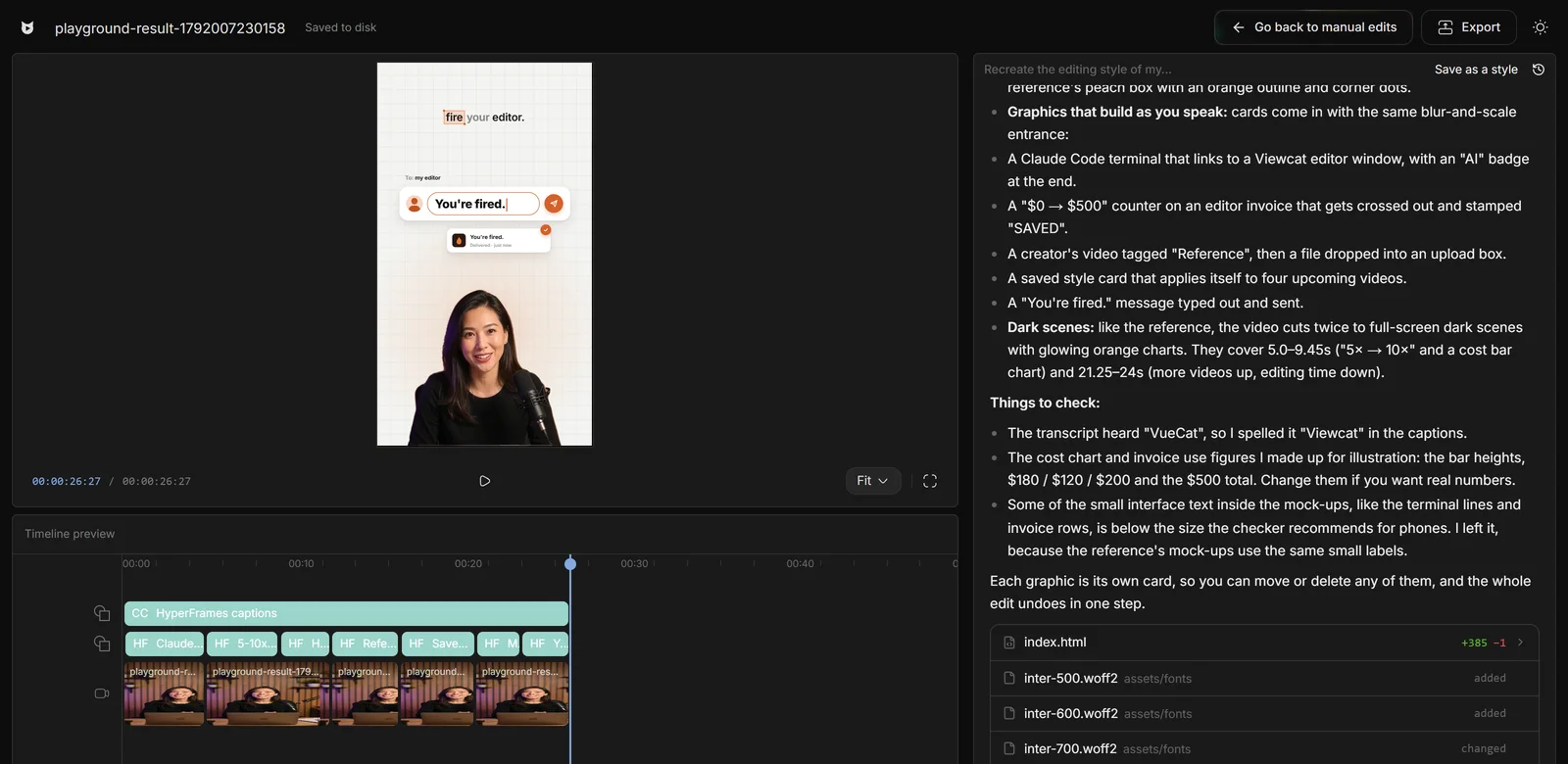
A free account clips one long video on its own agent or key and exports one of the clips, with hook title, captions and face tracking. A paid plan makes clipping unlimited.
How AI clipping works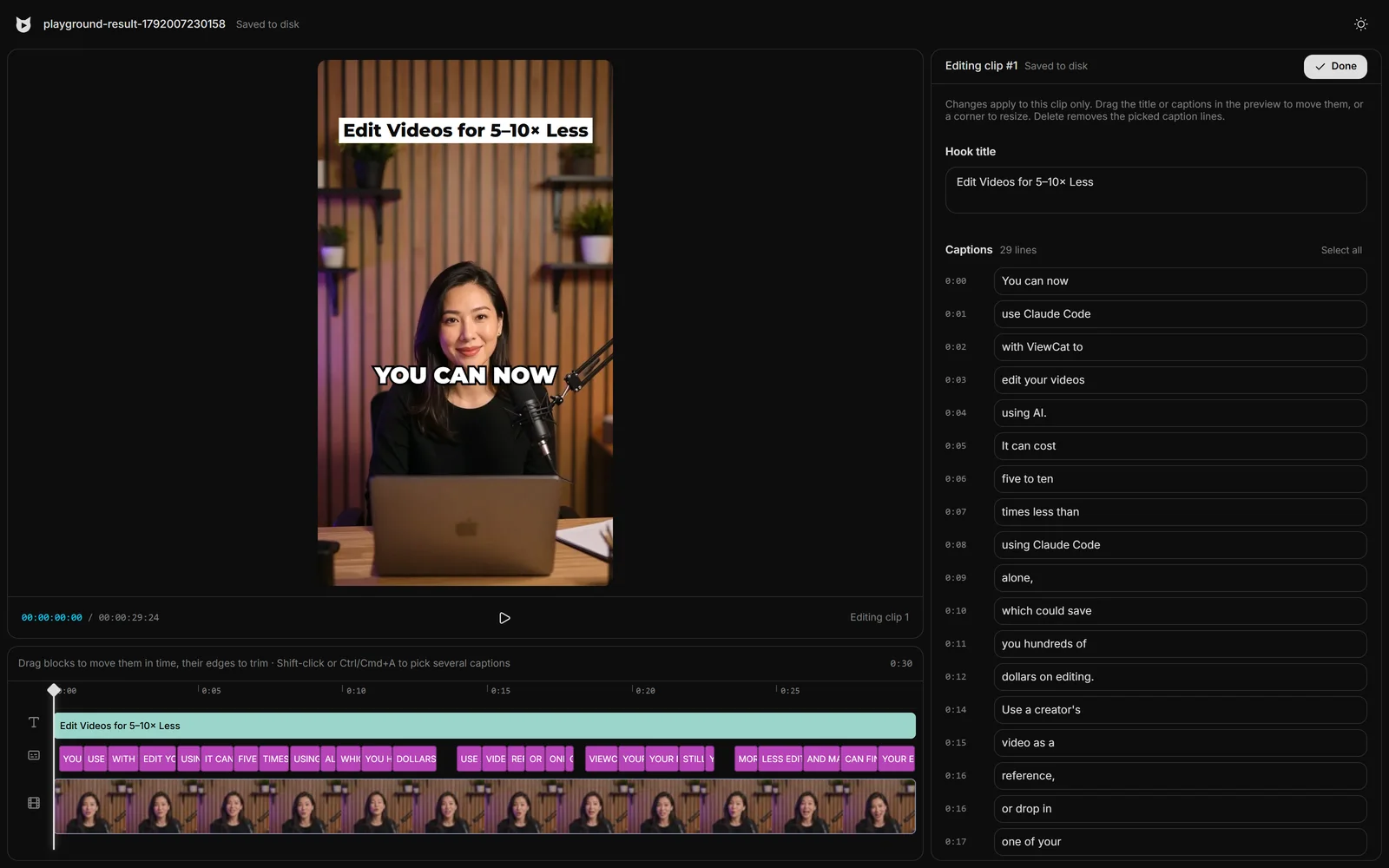
Create a free Viewcat account and download the installer for Windows (64-bit) or an Apple Silicon Mac. The editor runs on your computer and opens in your browser.
Cut on the timeline and add captions, effects and B-roll yourself. For AI editing, connect your Claude Code or Codex plan, or add your own API key.
Export without a watermark. A free account exports five minutes of video in total; a paid plan removes the limit.
Say the edit, then fix any part by hand
Copy any video's editing style
Reuse a look on every video
/cleanup, /order-clips, /match-recording
Copy a YouTube intro's editing onto yours
Topic in, narrated animated short out
Yes. The Free plan costs nothing and never expires. It includes the full timeline editor, auto captions, effects, transitions and B-roll, and the AI edits for you when you connect your own Claude Code, Codex or API key. A free account exports five minutes of video in total.
Five minutes of exported video in total, two hours of cloud transcription (after that, speech is transcribed on your computer), one long video and one exported clip in Clipping, and 1,000 characters of AI voiceover with the free voices. Mic mode, animated story shorts and Viewcat's own AI come with a paid plan.
Yes, on your own AI. Connect your Claude Code or Codex plan, or add your own OpenAI- or Anthropic-format API key, and the AI chat edits your video without Viewcat credits. You still pay that provider as usual. Viewcat's own AI, which needs no setup, comes with a paid plan.
No. Viewcat does not add a watermark on any plan.
You can try it for free: a free account clips one long video on its own Claude Code, Codex or API key and exports one clip. Unlimited clipping comes with a paid plan.
No. The free export minutes, transcription hours, clipping run and voiceover characters are one-time allowances. They are counted once per account and once per computer, so a new account on the same computer does not start again.
Yes. You create a free Viewcat account, then download the installer for Windows or Mac.
Windows (64-bit) and Apple Silicon Macs (M1 or later) with macOS 12 or newer. There is no phone app.
Unlimited export, unlimited clipping, Viewcat's own AI, mic mode, voiceovers and animated videos. At launch, Basic is $15 a month or $150 a year with 1,500 credits a month, and Max 5× is $60 a month or $600 a year with 7,500 credits. Payments have a 14-day money-back guarantee, less the value of credits used.
No. Viewcat runs on your computer and your projects and media stay there. Only speech recognition and AI model calls leave it.
Download Viewcat, edit by hand right away, and add a plan only if you want Viewcat's own AI.
Free plan for Windows and Mac · AI with your own agent, free · 14-day money-back guarantee