Viewcat · AI video editorEdit with AI.
Fix anything by hand.
Cuts, captions and motion graphics from one sentence. Pro skills and styles built in.
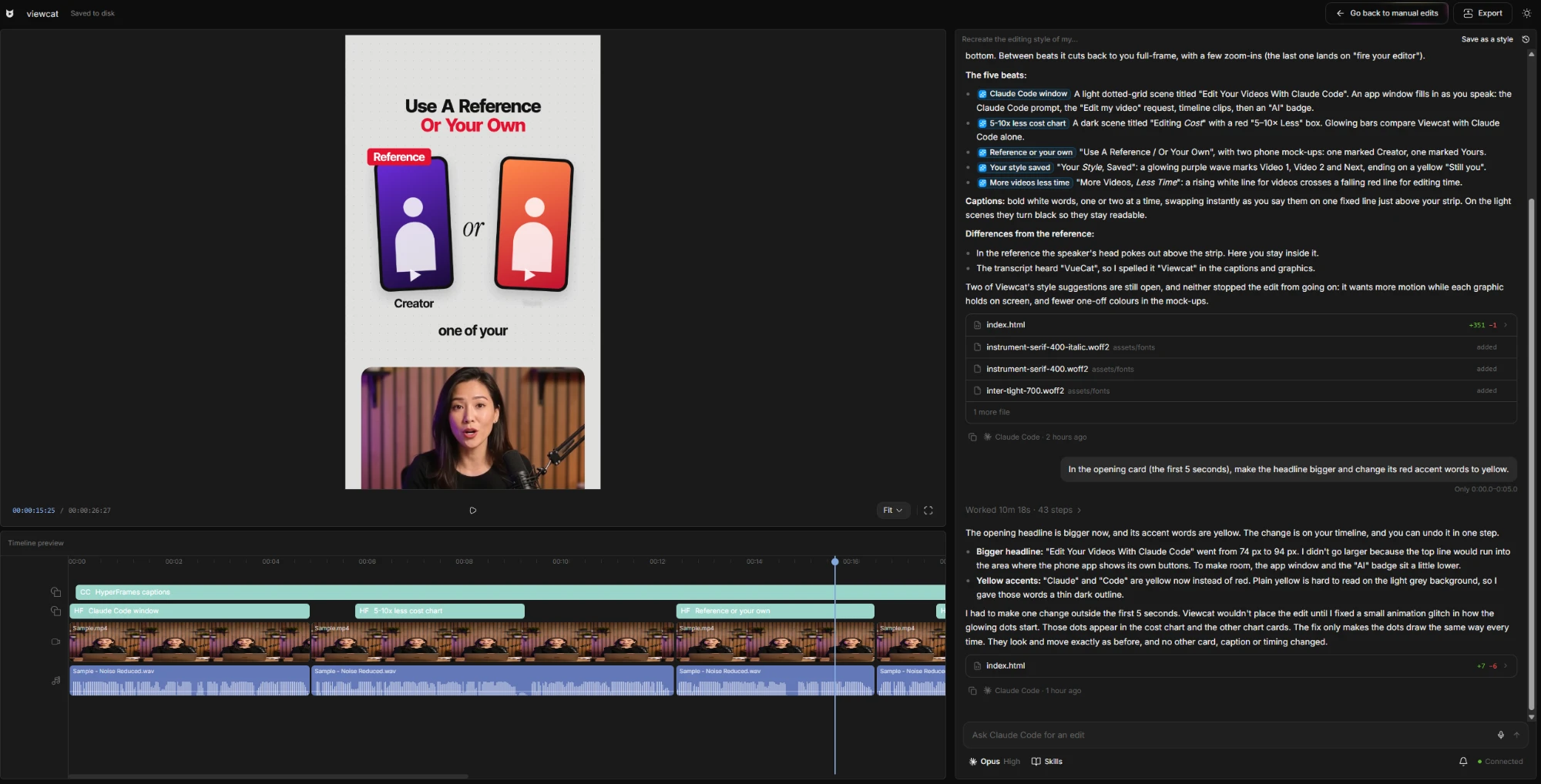
Say the edit.
It lands on your timeline.
No prompt engineering. It already knows every skill and style.
- ✓Cleaned up 6 takes, kept the best of each
- ✓Moved “nobody tells you this” to the opening
- ✓Cut 41 pauses, 38 seconds shorter
- ✓Yellow word-by-word captions
- ✓Animated “3 MISTAKES” title at 0:04.2
A real video editor.
Not only a chat.
Drag it, trim it, or click one card and ask for a fix. No re-prompting.
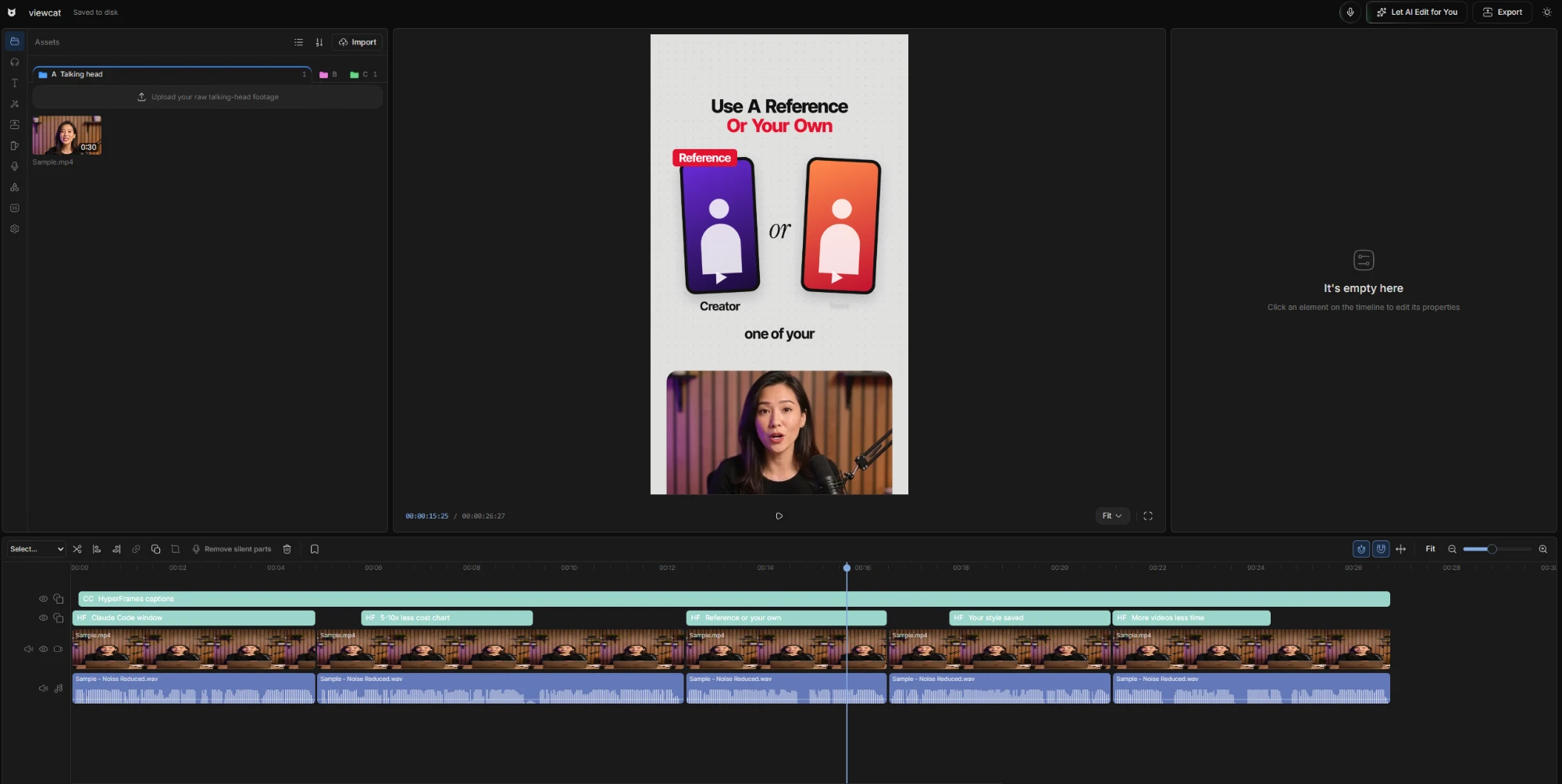
Everything editors install.
Already inside.
Nothing to download. Nothing to set up.
Reference styles.
No more searching.
Short form, YouTube and animated shorts. Pick one, use it.
Bring your Claude or Codex plan.
Every skill comes with it.
Connect in two clicks. Runs on your computer, on your plan.
How it worksThe editing behind creators
pulling tens of millions of views.
Same take. Posted today.
Cuts, captions and graphics while you watch. No three-day wait.
Drag the slider.
Try ViewcatEditing skills, already installed.
Type a slash to run one.
Select clips, type a slash, done. Nothing to install.
See every skill42 s of dead air removed from 6 clips
Any creator’s editing style.
Without buying their course.
Drop in one of their videos. Get their captions, fonts and pacing on yours.
Your clips.
Their editing style.
Keep the money.
Keep the days.
Editors charge $50 a Reel and take days. Viewcat: under $1, while you watch.
Estimates a video: $50 for an editor, 2 hours yourself, under $1 and 10 minutes with Viewcat.
With an editor
- MonSend the footage, write a brief
- TueWaiting…
- WedFirst cut. Two things are wrong
- ThuRevisions. Waiting again…
- FriPosted. The trend is over
With Viewcat
- 9:00Drop in the clips
- 9:03“Make it punchy, big captions”
- 9:06Click the title, fix one word
- 9:10Export
- 9:12Posted. On to the next one
By Friday they’ve posted five times. You’ve posted once.
Every workflow creators need.
Already set up.
Each opens with the right skills and styles picked.
AI clippingNew
Long video to viral vertical clips
YouTube to Shorts
Paste a link, get vertical clips
Animated story shortsNew
Topic in, narrated animated short out
Create YouTube videosNew
Copy a YouTube intro's editing onto yours
AI thumbnailsNew
YouTube thumbnails and Reel covers
AI motion graphics
Animated titles and cards for your edit
Auto captions
Animated captions from your speech
Saved styles
Reuse a look on every video
Mic mode
Hold M and say the edit
AI voiceover
Text to speech with 28 voices
Stock B-roll library
Search free stock clips in the editor
Silence & bad-take remover
Cut pauses, fillers and retakes
Questions before you
start editing.
Why not just use Claude Code?
Claude starts with no editing skills, no styles and no timeline. Viewcat has all three built in, so you fix a result by hand instead of prompting again.
Can I use my Claude or Codex plan?
Yes. Pick Claude Code or Codex in the chat menu and connect in two clicks. It runs on your own plan; connecting needs a paid Viewcat plan.
What if the AI gets one thing wrong?
Click that title, caption or clip and ask for a fix: only that part changes. Or fix it by hand. Every AI change is one undo.
How much will I save?
Editors charge around $50 a Reel. Viewcat does it for less than $1 of credits. At 20 Reels a month you keep about $980.
Can it copy a creator’s editing style?
Yes. Drop in one of their videos and Viewcat rebuilds its captions, fonts, graphics and pacing on your footage. Never their footage, face or voice.
Do I need editing experience?
No. Describe what you want; the skills and the chat do the rest.
Can I try it now?
Yes. Download it for Windows or an Apple Silicon Mac. The manual editor is free forever; AI features need a paid plan.
Let AI do the edit.
Keep the final say.
Every week without it: $250 to an editor, or 10 hours on the timeline.
Try Viewcat Free for Windows and Mac · AI on any paid plan